Who Can Access Tag Contacts? Privacy Explained
By ContactMeTag · · 7 min read
A QR tag on a helmet, vehicle, school bag or set of keys is designed to get help moving quickly - but who can access tag contacts when the code is scanned? The short answer is: the person who scans the physical tag can use the contact options you have chosen to make contact. They do not need your private mobile number, an account or an app to do it.
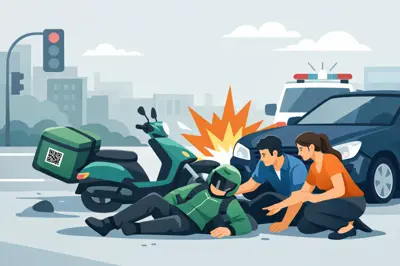
That distinction matters when somebody is standing beside a rider after an accident, has found a child’s bag at the park, or is holding your lost wallet at a café. They need a simple way to reach the right person. You need that connection to happen without putting your personal details on public display.
Who can access tag contacts after a scan?
Anyone with access to the tag itself can scan its QR code using a mobile phone camera. This could be a paramedic, police officer, Good Samaritan, school staff member, neighbour, airport worker or the person who finds a lost item.
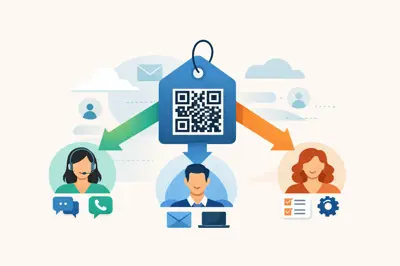
Scanning does not give that person open access to a contact list, your address book or the private information stored on your phone. Instead, it opens the contact page linked to that individual tag. The scanner can see and use the actions made available for that tag, such as calling or sending a message to an owner or nominated emergency contact.
The tag owner controls which contacts are connected during setup. That means the contact arrangement for a luggage tag can be different from the one on your motorbike helmet. A traveller may nominate themselves first for lost luggage, while a rider may nominate a partner, parent or close mate who can respond immediately if they cannot speak.
In practical terms, access is tied to two things: someone physically scanning the QR code, and the settings you have assigned to that particular tag. It is not a public directory of your personal information.
What the scanner sees - and what stays private
A safety tag should make communication easy, not make your private mobile number available to every stranger who picks up your belongings. With ContactMeTag, the contact-routing system is built to keep personal contact details masked while still allowing the scanner to place a call or send a message.
The person scanning the code is guided towards a clear next action. They can contact you or a nominated person without needing to copy down a phone number, save it to their mobile or download software. Calls and messages are free for the scanner, removing a common barrier at the moment help is needed.
What they do not need is access to your full contact list, social media profile or personal phone number. This is especially useful for items that spend time in public spaces: a car parked at the shops, a laptop left in a meeting room, a child’s backpack on a school bus, or keys dropped near the beach.
Privacy is not about making yourself impossible to reach. In an emergency, that would defeat the purpose. It is about sharing the right route to contact at the right time, while keeping the underlying personal details protected.
The difference between contact access and information access
It helps to think of a QR tag as a doorbell, not a key to your life. A scanner can press the button and reach the people you have nominated. They cannot walk through the door and browse private records.
For example, if a passer-by scans a tag on your dog’s collar, they may be able to send a message saying where they found your dog. They are not automatically given your home address. If emergency services scan a tag on your helmet, they can reach your emergency contact quickly, but they do not gain access to every person in your mobile contacts.
That controlled access is what makes a tag useful across everyday situations without asking families to choose between safety and privacy.
Who should be set as a tag contact?
The best contact is not always the tag owner. It depends on the item, the likely situation and who can act quickly.
For a vehicle or helmet tag, choose someone who is likely to answer and who knows your medical needs, usual routes or family situation. They might need to speak with first responders, arrange transport or let loved ones know what has happened. If you are travelling alone, consider adding more than one reliable contact so there is a backup if the first person is unavailable.
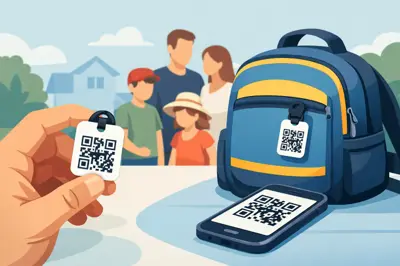
For a child’s school bag or wearable tag, a parent or guardian is usually the obvious choice. A second contact can be another parent, grandparent or trusted carer. Choose people who understand when to escalate a concern and can answer unfamiliar calls.
For a holiday home, ute, toolbox or property tag, the first contact may be the owner, followed by a nearby neighbour, property manager or family member with access. A finder who notices an open gate, damage or a safety issue can then reach somebody able to respond locally.
Lost-item tags work slightly differently. The owner may be the right first contact for a wallet, laptop, keychain or luggage tag because they can confirm ownership and organise collection. If you are overseas, add a trusted person at home who can assist if your mobile is flat, lost or out of reach.
Set contacts for the moment that matters
A tag only works as well as the information and contact choices behind it. Setup takes minutes online, but it deserves a little thought. Ask yourself: if this tag is scanned at the worst possible time, who should receive that call or message?
Choose people who are dependable rather than simply close to you. A contact who never answers during work hours may be less helpful than a sibling, neighbour or adult child who is usually available. Make sure each nominated person knows they are listed and understands which tags they may be contacted about.
Keep the contact details current. Update them after a change of mobile number, a separation, a move, a new carer arrangement or a child starting at a different school. Review contacts before a major road trip or overseas holiday as well. A tag can remain on the item for years, but the people behind it may change.
Where a tag supports a person with dementia, severe allergies or another medical concern, nominate contacts who can clearly explain the person’s needs. The goal is not to burden a stranger with complex information. It is to give them a fast route to someone who can make informed decisions.
Use different tags for different risks
One contact setup does not suit every object. A bag that might be misplaced at school needs a family response. A motorcycle helmet needs emergency-ready contacts. A pet tag needs someone who can arrange safe collection. A property tag may need a local keyholder.
This is why individual tag management is valuable. You can organise contact access around the real-world purpose of each tag instead of using one generic response for everything you own.
Can the owner change who can access tag contacts?
Yes. The owner can update the nominated contacts and the details associated with a tag through their online account. This keeps the tag useful when life changes, without needing to expose new phone numbers on the physical product.
If an item is sold, gifted or no longer in use, review its setup promptly. Remove or change contacts before handing it over. If a tag is lost and you are concerned about unwanted scans, update its settings as soon as possible. The physical QR code may still be out there, but the contact pathway can be managed from your account.
It is also sensible to tell your nominated contacts what a genuine scan might look like. They may receive a call or message from an unfamiliar person who has found an item or is trying to help. Knowing this in advance can prevent them from dismissing an important contact attempt as spam.
Privacy should not slow down help
A printed phone number can be helpful, but it cannot be changed easily and it is visible to anyone nearby. A QR contact tag offers a more flexible approach: the finder has a quick action to take, while the owner retains control over who is nominated and how they can be reached.
When you cannot answer, are separated from your belongings or need somebody else to speak on your behalf, the right contact needs to be one scan away. Set your tags up with people who will act, review them when circumstances change, and let every scan have a clear purpose.