Laptop Lost and Found Tag: Is It Worth It?
By ContactMeTag · · 7 min read
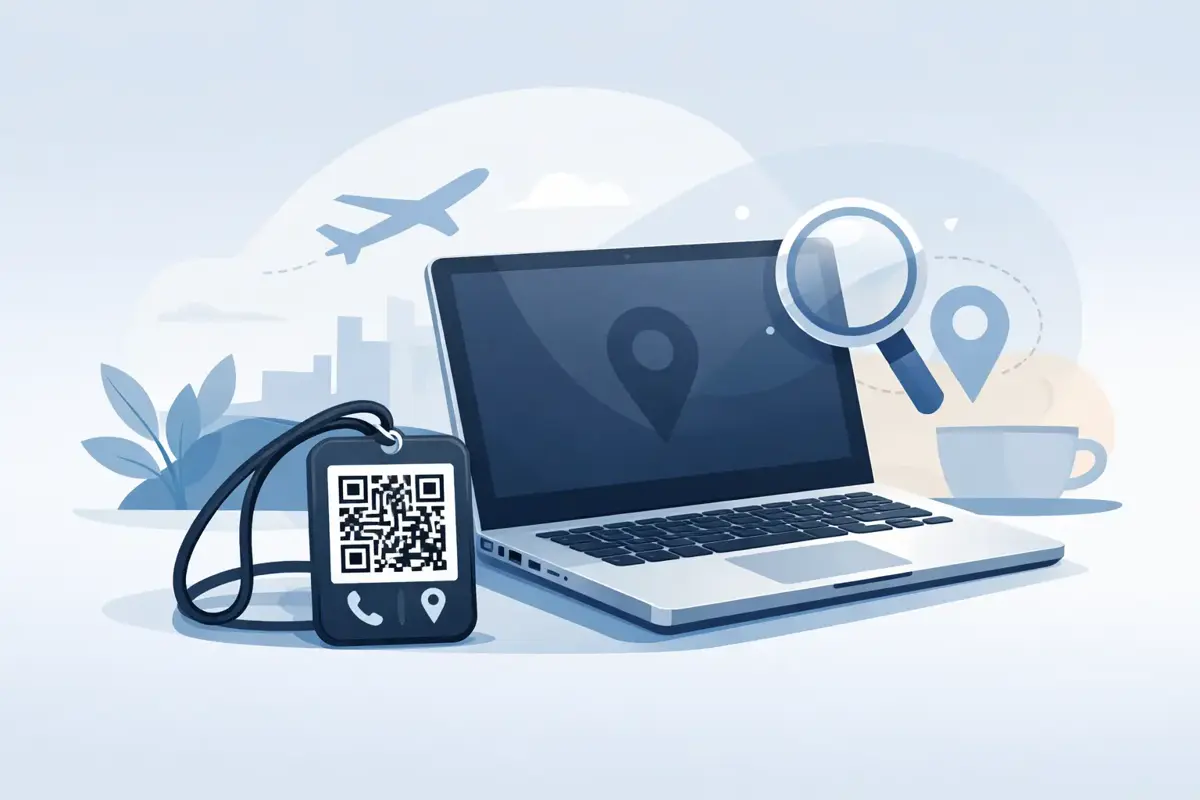
A laptop goes missing in ordinary ways. You leave it in a meeting room after a rushed finish. It slips behind a chair at a café. It gets picked up at school, uni or the airport by someone who wants to help, but has no safe way to contact you. That is exactly where a laptop lost and found tag earns its place.
Most people think about laptop security in terms of passwords, tracking software and backups. Those matter. But they only solve part of the problem. A lot of lost laptops are not stolen by experts. They are simply misplaced, found by a decent person, and never returned because the return process is awkward, unclear or invasive.
What a laptop lost and found tag actually does
A laptop lost and found tag gives a finder a fast path to reach the owner without exposing the owner’s personal details on the device itself. That sounds simple, and it is. The value is in removing hesitation.
If someone finds a laptop in a library, coworking space or airport lounge, they are more likely to act if the next step is obvious. A visible tag tells them what to do. If that tag uses a QR code, the process is even faster. They scan it with their mobile and are taken to a contact pathway that helps them alert the owner or a nominated contact.
That solves a common problem with old-style labels. A sticker with your full name, email address and mobile number can work, but it also puts your personal details on display. On a work laptop, that can be especially uncomfortable. On a child or teen’s school laptop, it can be a real privacy concern.
A well-designed tag closes that gap. It makes recovery easier while keeping contact details protected.
Why a laptop is different from other lost items
Losing a laptop is rarely just about the cost of the hardware. It can mean access to work files, school assessments, client notes, photos, tax records or saved logins. Even if your device is encrypted, the stress starts immediately.
That is why a laptop lost and found tag is less about convenience and more about response time. The sooner the right person is alerted, the better the chance of recovery before the device changes hands, gets moved to another location or disappears into general lost property.
Laptops also travel more than people realise. They move between home, office, classroom, car, hotel, plane, train and café table. Each handover point increases the chance of a simple mix-up. A bag can be recovered and returned with a tag attached, but a bare laptop often has no obvious return instructions at all.
The best kind of tag for a laptop
Not every label suits a laptop lid or sleeve. Some are too bulky. Some peel at the edges. Some give away too much information. The best option depends on how and where the device is used.
For most people, a slim QR-based tag makes the most sense. It is easy to place on the laptop itself, the charger, or the carry case. It creates a clear action for the finder and can route contact without publicly showing your phone number or email address.
Durability matters as well. A laptop gets moved, wiped down, slid into bags and taken through changing temperatures. A cheap paper sticker may not last. A weatherproof, well-adhered tag is a better fit for daily use.
Placement is worth thinking about too. A tag on the underside is discreet, but it may be missed. A tag on the outer lid is easier to notice, but some users prefer a less visible position for work or school settings. There is no single right answer. If privacy and visibility are both important, placing the tag on the inside edge of a laptop case or near the charger can be a practical compromise.
What to look for before you choose one
The biggest difference between basic labels and smarter tags is what happens after the item is found. That is where the buying decision should really sit.
A useful tag should let a finder contact you quickly, without needing to install an app or create an account. If the process feels fiddly, many people will give up. It should also protect your direct contact details. Publicly listing your mobile number on a laptop may seem handy until spam calls or unwanted contact start.
You should also check how easy it is to update your contact information. People change numbers, jobs and email addresses. A static printed label becomes outdated. A digital system can stay current if it is simple to manage.
There is also a trust question. If the tag is for something as valuable and personal as a laptop, the system behind it should be reliable and easy to understand. Privacy-first contact routing, no-app access and straightforward setup are not extras here. They are the point.
How a QR laptop lost and found tag works in real life
The real test is not the technology. It is the moment your laptop is sitting on a desk somewhere and a stranger has found it.
They spot the tag. They scan the QR code with their mobile camera. Instead of seeing your personal number on the outside of the device, they are guided to a simple contact option. From there, they can send a message or place a call through the tag system so you can respond quickly.
That matters because most finders are willing to help, but only if the process feels safe and immediate. They may not want to handle someone else’s unlocked laptop. They may not want to search social media. They may not want to ring a number printed on a sticker if they are unsure who will answer. A guided contact path removes that uncertainty.
This is where ContactMeTag-style technology fits everyday life so well. It keeps the action simple for the finder and the contact details private for the owner.
Who benefits most from a laptop lost and found tag
Anyone who carries a laptop can benefit, but some situations make the case stronger.
Students are an obvious example. School and uni devices are constantly moved between classes, libraries and transport. Parents may also prefer a contact method that does not publish a child’s direct details.
Hybrid workers are another. A laptop that moves between office, home and public spaces is more exposed to being left behind. For business users, a tag can support faster recovery without advertising personal contact details or company information.
Travellers also have a lot to gain. Airports, hotels and conference venues create exactly the kind of rushed, distracted conditions where laptops get misplaced. A clear scan-to-contact option can save days of back-and-forth with lost property desks.
A tag is not a replacement for security
This part matters. A laptop lost and found tag improves the chance of getting your device back, but it should sit alongside proper security, not instead of it.
You still need a strong password, device encryption and regular backups. If your laptop contains sensitive work information, remote lock or wipe features are worth having as well. A tag helps when a decent person finds your laptop. It does not stop deliberate theft.
That is not a weakness. It is just the realistic role of the product. The best recovery setup combines digital security with a clear return path.
Simple setup makes all the difference
A tag only works if it is activated, current and attached somewhere visible enough to be useful. Setup should take minutes, not an afternoon.
For most people, the ideal process is straightforward. Attach the tag, complete the online setup, add your preferred contact details or emergency contacts, and check that the scan flow works as expected. If you share a laptop with a family member or want a backup contact, that should be easy to add.
It is also smart to think about where the return should happen. In some cases, direct contact is fine. In others, especially for school devices or work-issued laptops, a nominated contact or workplace reception may be the better option.
Is a laptop lost and found tag worth it?
If you only use your laptop at home and it never leaves the house, maybe not. But for students, commuters, travellers, remote workers and families, the answer is usually yes.
The value is not just in the tag itself. It is in removing friction at the exact moment when every minute counts. A good tag makes it easy for the right person to do the right thing fast, without turning your private details into public information.
A lost laptop is stressful enough. If a simple scan can turn a stranger into a safe point of contact, that is a small step that can make a very big difference.
When your laptop cannot speak for itself, the right tag gives it a clear way home.