How to Set Up Your Emergency Contact Tag
By ContactMeTag · · 6 min read
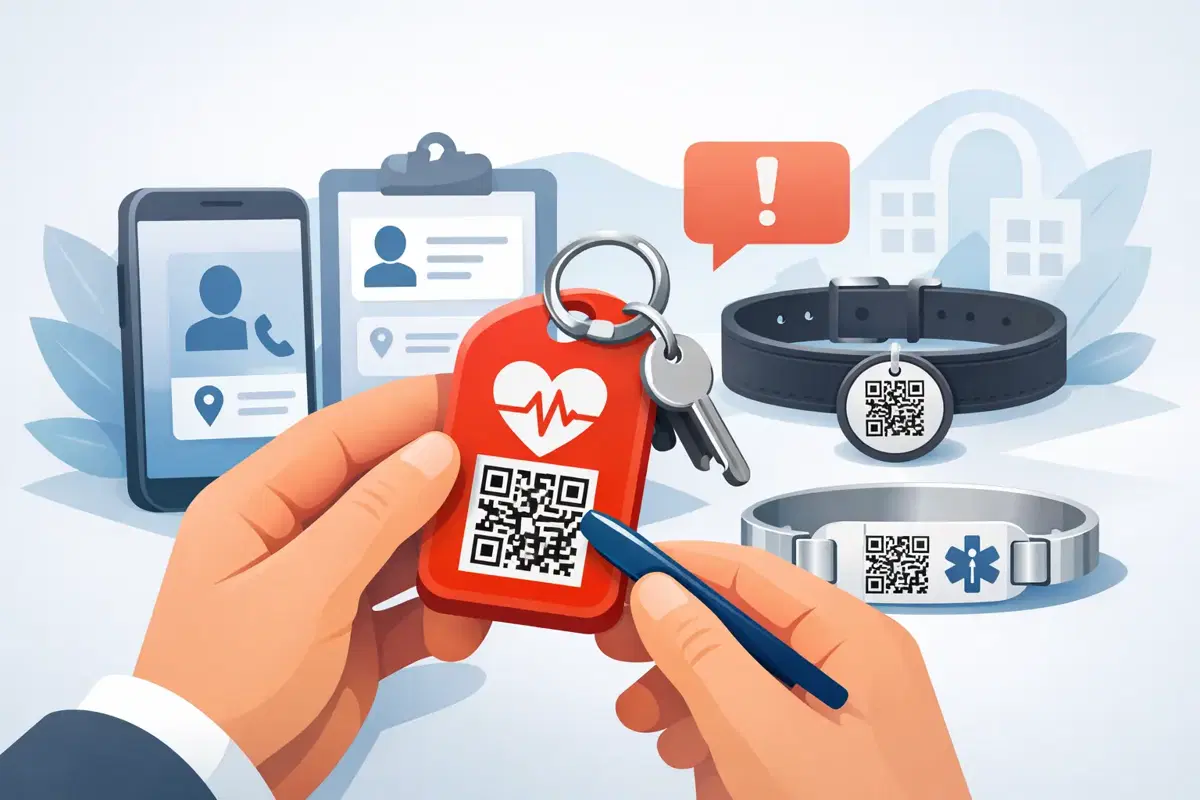
A roadside crash, a lost school bag or a medical episode rarely gives you time to search through a mobile for the right number. An emergency contact tag gives the person helping you a direct path to someone who can act. When you know how to set up emergency contact tag details properly, a quick QR scan can turn confusion into a useful conversation - without putting your personal mobile number on public display.
The aim is simple: make sure the right people can be reached quickly, and make the information they receive clear enough to help. Set aside a few minutes before attaching your tag to a helmet, vehicle, bag, wallet, medical pouch or keyring. The setup is straightforward, but the choices you make now matter when someone else needs to use it.
What an emergency contact tag does
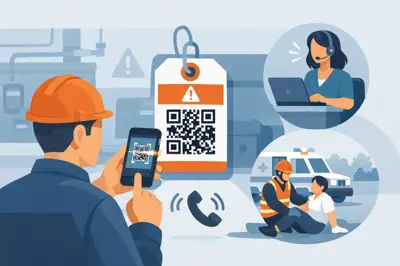
A QR emergency contact tag holds a unique code. When a responder, Good Samaritan or finder scans it with their mobile camera, they are taken to a secure contact page. From there, they can call or message the nominated contacts without needing an app or seeing the private mobile numbers behind the tag.
That distinction matters. A handwritten number on a helmet or bag may be easy to read, but it is also visible to everyone. A digital tag can route the call while keeping your details private. It also lets you update contacts later, rather than replacing a label whenever a number changes.
For a driver, the tag may help at the scene of an accident. For a child, it can help a teacher, coach or member of the public contact a parent if they are separated from the group. For luggage, keys or a laptop, it gives an honest finder a practical way to return what is yours.
How to set up emergency contact tag details
Start with the activation instructions included with your tag. Scan the code or enter the activation details on the setup page, then create your account or sign in. This connects the physical tag to the contact information you choose.
Choose contacts who will answer
Your first emergency contact should be someone likely to answer an unfamiliar call, including during work hours. A partner is often the obvious choice, but it depends on their job and availability. If they work in a noisy environment, drive for a living or cannot keep their mobile nearby, nominate a second person who can reliably respond.
Add at least two contacts where possible. Choose people who know enough about you or your family member to make decisions, pass on key details or arrange support. For a child, that might be two parents or a parent and grandparent. For an older person, it could be a family member and a regular carer.
Before adding anyone, ask their permission. Let them know what the tag is attached to and what they may be contacted about. An unexpected call after a scan is much easier to recognise when they already understand the purpose.
Enter names people can understand
Use clear names that make sense to a stranger in a pressured moment. “Mum - Sarah” or “Emergency Contact - David” is more useful than a nickname only your family understands. If the setup allows a relationship label, add it. It gives the scanner immediate context without overwhelming them with unnecessary information.
Check each mobile number carefully before saving. One wrong digit defeats the purpose of the tag. If you are setting up several tags for a household, take care not to attach the wrong contact profile to the wrong item.
Add only useful emergency information
Some tags allow you to include a short emergency note. Keep it practical and focused on what a responder needs to know. For example, you might include a severe allergy, a communication need, a relevant medical condition or a note that a child may be non-verbal when distressed.
Avoid adding a full medical history, home address, passwords, Medicare details or anything a stranger does not need to act quickly. The best information is brief, current and specific. “Severe nut allergy. Contact parent immediately” is clearer and safer than a long paragraph of background details.
Medical details are personal, so use your judgement. If the tag is for lost-property recovery rather than personal safety, contact routing may be all you need. A luggage tag, for example, usually needs a simple way for a finder to get in touch, not health information.
Save, activate and test the scan
Once the details are saved, make sure the tag shows as active. Then test it with a different mobile, ideally one that is not logged into your account. Open the mobile camera, scan the QR code and follow the prompt that appears.
Check that the contact page loads, the names are correct and the call or message option reaches the intended person. ContactMeTag is designed so the scanner can make contact without downloading an app, but a test confirms your own setup is ready before it is ever needed.
Tell your nominated contacts that you have completed the test. Ask them to save any call-routing number or recognise the message format if relevant. The goal is not merely to make a tag active. It is to make sure a real person responds when every minute counts.
Put the tag where it can be found
A perfectly configured tag cannot help if it is hidden. Place it where someone assisting you or returning an item is likely to look first.
On a motorcycle or bicycle helmet, use a clear, visible area that does not interfere with safety certification labels, vents or visor movement. For a vehicle, place it where it can be seen without creating a distraction for the driver. For a backpack, bag or luggage case, position it on the outside rather than buried in an internal pocket.
Wallet, keyring and wearable tags work best when they are easy to access but securely attached. A tag for a child can be placed on a school bag, lunch bag, jacket or wristband depending on the situation. For someone living with dementia, consider a combination: one tag on a wearable item and another on frequently carried belongings. Redundancy can be sensible when an item may be left behind.
Weatherproof tags are built for everyday use, but placement still matters. Avoid surfaces that flex constantly, areas exposed to extreme abrasion or spots likely to be covered by a phone mount, strap or sticker. Clean and dry the surface before applying an adhesive tag, then allow it to bond properly before use.
Keep the information current
An emergency contact tag is not a set-and-forget safety item. Review it after a change in mobile number, relationship, medication, school routine, travel plan or care arrangement. A quick check every six months is a good habit, and it is worth doing before a family holiday or long road trip.
Also inspect the physical QR code. Dirt, deep scratches, sun damage or a peeling edge can make scanning harder. Wipe it gently, make sure it remains legible and replace it if the code has been damaged. If the tag is on a ute, bike or outdoor gear, check it more often because dust, rain and heat take a greater toll.
When you give an item away, sell it or dispose of it, remove the tag or deactivate it. This small step prevents old contact details from remaining connected to an item that is no longer yours.
Common setup mistakes to avoid
The most common mistake is choosing only one contact. If that person is on a plane, in a meeting or simply misses the call, the scanner may have nowhere else to turn. Adding a second contact creates a practical fallback.
Another is adding too much personal information. An emergency tag should help someone take the next step, not expose your life to anyone who scans it. Use contact routing and concise notes to balance privacy with action.
Finally, do not skip the test. A tag may be attached neatly and look ready, yet have an old number, a typo or an incomplete activation. Test the scan whenever you make changes, and ask your contacts to confirm they can receive the call or message.
A prepared emergency contact tag is a small item with a very practical job. Set it up while life is calm, place it where it can be seen and keep its details current. If the unexpected happens and you cannot explain what is needed, your QR code can speak for you.