A Guide to Setting Up Contact Tags Safely
By ContactMeTag · · 6 min read
A contact tag only helps when the right person can be reached quickly. That is why a guide to setting up contact tags should start with one simple question: if someone scans your tag while you cannot respond, who needs to know first? A few thoughtful minutes now can make a real difference after a crash, a lost bag, a medical incident or an unexpected call from a Good Samaritan.
ContactMeTag QR tags are designed to turn a scan into action. The finder does not need an app, your private mobile number is not displayed, and your nominated contacts can be reached without delay. The setup is simple, but the decisions behind it matter.
Start with the moment your tag may be needed
Do not set up every tag in the same way. A tag on a motorcycle helmet has a different job from one on a child’s school bag, a pet collar or the keys to a holiday home. Think about the likely situation first, then choose the information and contacts that will be most useful.
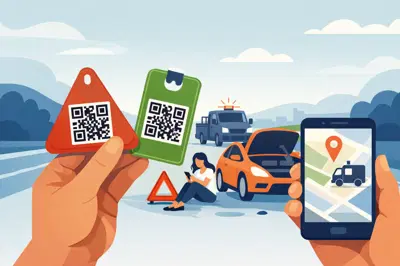
For a vehicle, helmet or bicycle, the priority is usually emergency contact. If you are injured or unable to speak, responders or bystanders need a reliable way to alert someone who can share essential details and make decisions.
For luggage, a wallet, laptop or keyring, the priority is often recovery. A finder needs to tell you the item has been found and arrange a safe return. A property tag may need to route a visitor, neighbour or tradesperson to the right person without putting a phone number on a gate, letterbox or spare key.
This step prevents a common mistake: adding information because it seems useful rather than because it will help in that exact moment. Keep the purpose clear. Every scan should lead to a practical next step.
Choose contacts who will actually answer
Your first nominated contact should be someone likely to answer their mobile or return a missed call promptly. It may be your partner, adult child, parent, close friend or carer. Proximity can help, but reliability matters more. A sibling living interstate who always answers may be a better first contact than a neighbour who works long shifts and rarely checks their phone.
Add backup contacts where your tag setup allows it. Emergencies do not follow business hours, and one person may be driving, asleep, overseas or simply unavailable. Two or three trusted people usually provide better coverage than relying on one person alone.
Before adding anyone, ask for their permission. Let them know what the tag is attached to, what sort of message they may receive, and what you would want them to do. For example, a contact linked to a child’s bag should know the child’s school, usual transport arrangements and any immediate family contacts. A contact linked to a motorbike helmet should understand that a scan could follow a road incident.
Avoid using a contact who is unlikely to cope with urgent information. This can be difficult in families, but it is practical. The right contact is calm, reachable and able to pass on accurate details.
Add only information that helps someone act
The best emergency profile is clear, short and relevant. A scanner may be standing beside a damaged vehicle, holding a found wallet at a café, or helping a person who is confused and unable to explain where they live. They need useful direction, not a long personal history.
For emergency-use tags, consider including essential medical details that a responder or your nominated contact may need to know, such as a serious allergy, diabetes, epilepsy, a communication need, or relevant medication. Use plain language. “Severe nut allergy” is clearer under pressure than a clinical description. If there is an action plan, let your emergency contacts know where it is kept.
For lost-property tags, a simple return message is often enough. State that the item belongs to you and ask the finder to use the contact option provided. Do not publish your home address, full date of birth, bank details, licence number or any information that could expose you to fraud.
This is where privacy-first contact routing matters. A QR contact tag should make it easy for a genuine finder or helper to reach you while keeping your personal phone number out of public view. You can be contactable without making your details visible to every person who sees the tag.
Activate each tag and test it before you need it
Once your contacts and details are entered, activate the tag through the online setup process. Take your time entering names and mobile numbers. One incorrect digit can turn an urgent call into a dead end.
Then test the tag with another person’s mobile. Ask them to scan it as a finder would, without logging into your account. Check that the contact option appears, the correct person receives the alert or call, and the information shown makes sense. This is also the right time to check that the tag is attached where it can be found and scanned easily.
A tag hidden under a motorcycle seat, buried inside a backpack or covered by a thick phone case may not help when seconds matter. Place it somewhere visible, secure and accessible. On a helmet, use a clean, smooth area that will not interfere with safety labels or moving parts. On luggage, attach it where it will not be torn away by baggage handling. On a pet collar, make sure it sits comfortably and is not obscured by long fur.
Testing is not a one-off task. Make it part of your household safety routine, much like checking smoke alarm batteries or reviewing first-aid supplies.
Keep your contact tags current
A perfectly set-up tag can become less useful when life changes. People move house, change mobile numbers, start new jobs, travel overseas and take on caring responsibilities. A child may begin catching public transport alone. A pet may need new medication. A holiday property may gain a new local caretaker.
Review your tags after any major change, and at least every six months. Confirm that each nominated contact still agrees to be listed and can be reached. Update medical notes when advice changes. If you replace a wallet, helmet, bag or vehicle, move the tag only if it remains securely attached and appropriate for the new item.
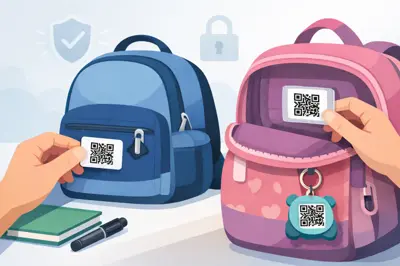
It also helps to tell the people in your household what each tag is for. Children old enough to understand can be taught that their bag tag is there to help a safe adult contact family if they are lost or separated. Older relatives can be reassured that a wearable tag provides a simple way for a helper to reach someone they trust. The goal is not to create worry. It is to remove uncertainty when something goes wrong.
Match the tag to the risk
One tag is useful. A small network of tags can be far more practical for a busy household. Place them where problems are most likely to happen: the family car, bike helmet, school bag, house keys, luggage, pet collar and an elderly parent’s wearable item.
That does not mean tagging everything without a plan. Start with the items that leave home, travel independently or are difficult to recover if misplaced. A tag on a wallet can help a decent stranger return it. A tag on a ute can give someone a way to contact family after an incident. A tag at a holiday home can help a neighbour report a problem before a small issue becomes a costly one.
Different use cases may need different contact arrangements. Your travel luggage might route to you and a travel companion. Your child’s bag might route to both parents. Your pet’s tag might route to the person most likely to be nearby and able to collect them. Set each one up for the real world, not the ideal one.
Make the scan count
Contact tags work best when they are treated as part of your safety plan, not as an accessory you fit and forget. Keep the code visible, the contact list current and the information focused on what a helper needs next.
When you cannot speak, your QR code speaks. Set it up with care now, so a single scan can give the right person a clear way to help when it matters most.