Contact Tag Versus NFC Tag: Which Works Faster?
By ContactMeTag · · 7 min read
A crashed bike on a country road. A wallet left at a café. A dog that has slipped through an open gate. In these moments, a contact tag versus NFC tag comparison is not really about clever technology. It is about whether the person standing there can reach the right person quickly, without guessing what to do or exposing private details.
Both options can connect a physical item to digital contact information. The difference is in how they are used, how visible the action is to a stranger, and how reliably they work in the situations that matter most.
Contact Tag Versus NFC Tag: The Key Difference
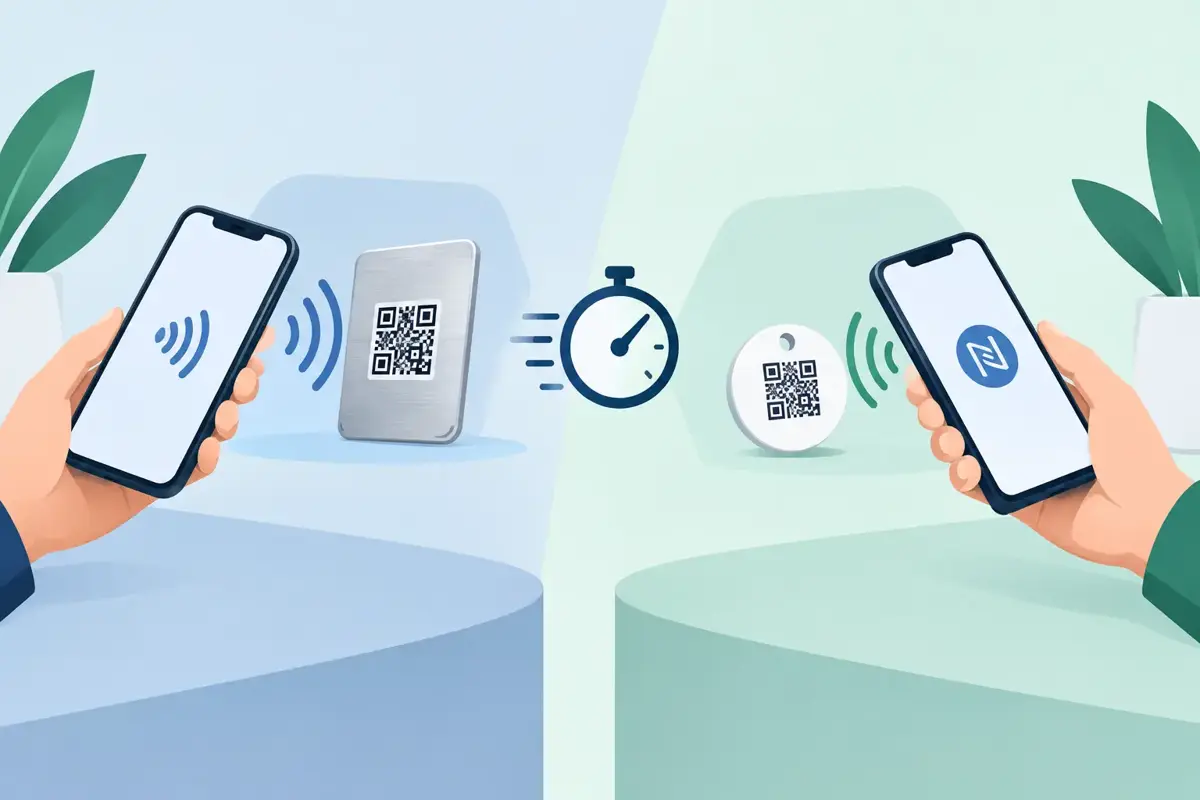
An NFC tag contains a small chip that sends information to a nearby compatible mobile when the phone is tapped against it. NFC stands for Near Field Communication. It is the same broad technology used for tap-and-go payments, although an NFC tag does not process payments. It can open a contact page, display a message or trigger an action on a phone.
A contact tag is a broader term. It can be an emergency or lost-property tag that directs a finder to contact details, usually through a visible QR code. In the case of a QR contact tag, the finder opens their phone camera, scans the code and follows the prompt to a secure contact page.
That distinction matters. NFC describes the technology used to read a tag. A contact tag describes the job the tag does: helping someone make contact when an item, person, vehicle or pet needs help.
Some products combine both QR and NFC. Others rely on only one method. For safety use, the best choice often comes down to one practical question: what will a Good Samaritan notice and know how to use under pressure?
Why a Visible QR Code Often Wins in an Emergency
Most people already understand a QR code. They see one on menus, parcels, posters and parking signs. A clear instruction such as “Scan to contact owner” gives a stranger an immediate next step. They do not need to know where an NFC antenna sits inside their phone or whether NFC is switched on.
That visibility is especially useful when a tag is attached to a helmet, vehicle, school bag, luggage case or pet collar. The person helping can see the code, point their camera at it and act. There is no need to physically tap a mobile in just the right position.
QR codes also work across a wide range of phones because the camera is the familiar entry point. The finder still needs mobile data or Wi-Fi to load the contact page, but that is also true for an NFC tag that opens an online page. Neither technology can create a connection where there is no signal at all.
For real-world safety, the human instruction is as valuable as the technology. A visible QR code makes the purpose clear before a phone is even taken out of a pocket.
Where NFC Tags Have an Advantage
NFC has genuine strengths. A neat NFC tag can be discreet, with no large printed code. For someone who understands NFC and has a compatible mobile, tapping can feel quick and convenient. It can suit personal routines such as office access, smart-home triggers or sharing a digital business card.
An NFC tag can also be useful where a clean, minimal appearance is the priority. For example, a small tag inside a wallet or on a keyring may appeal to people who prefer less visible information on their belongings.
But convenience depends on the finder knowing the tag is there and knowing to tap it. They may need to unlock their mobile, position it carefully, wait for a notification, and try again if the first tap does not register. Metal surfaces, thick cases, placement and physical damage can affect NFC performance as well.
That does not make NFC unsuitable. It means it is best treated as an additional option rather than the only way to request help when speed and clarity matter.
The Privacy Question Is Bigger Than QR or NFC
Neither a QR code nor an NFC chip automatically protects your privacy. The privacy outcome depends on what happens after the scan or tap.
A basic tag might reveal your mobile number, home address or full name to anyone who reads it. That can help a finder call you directly, but it also leaves personal information exposed if the tag is photographed, copied or scanned without a genuine reason.
A privacy-first contact system takes a different approach. The code or chip opens a contact page that allows the finder to call or message the owner, or a nominated emergency contact, without displaying the private number itself. The finder can still say, “I have found your luggage” or “Your child needs assistance,” while the owner retains control of their details.
This is particularly valuable on a car, motorbike helmet, child’s bag or pet tag, where the tag is visible in public every day. The goal is not merely to make contact possible. It is to make it possible without turning your private mobile number into public information.
Reliability Depends on the Whole Tag, Not Just the Chip
When choosing between a contact tag and an NFC tag, it is easy to focus only on the scan method. The physical tag matters just as much.
A tag used outdoors needs to handle heat, rain, salt air, dust, knocks and regular cleaning. A tag on a ute, trailer, bicycle or helmet may be exposed to harsher conditions than one kept inside a wallet. Printed information needs to remain readable, and any QR code needs enough contrast and protection to scan after months of use.
Placement also affects results. Put a vehicle contact tag where it can be seen without requiring someone to open a door or search through personal belongings. Place a luggage tag where airline staff or a finder can spot it quickly. On a pet collar, choose a tag that remains visible but is secure enough for daily movement.
For NFC, placement is even more specific. The chip needs to be accessible to a phone and may not work well when placed against metal. A QR code usually gives more flexibility because the finder only needs a clear line of sight.
Choose for the Situation You Want to Prepare For
For an emergency contact tag on a helmet, vehicle or medical item, a visible QR code is usually the stronger primary option. It tells people what to do and does not rely on them recognising an unmarked chip.
For lost property such as luggage, keys, bags and wallets, QR codes are again highly practical because the finder can see the instruction straight away. A secure contact page can route their message without showing your details.
For a discreet personal trigger or a situation where you control the users, NFC can work well. A household may use it for a regular routine, or a workplace may use it where staff know exactly how to tap the tag.
For the broadest coverage, consider a tag that gives people more than one path to help. A QR code provides a visible, familiar action. NFC can offer an extra tap option for people who use it. Most importantly, make sure the contact information behind the tag is current and that emergency contacts know they have been nominated.
What Happens After the Scan Matters Most
A tag is only as useful as the response it creates. The contact page should be simple enough for a stressed stranger to use in seconds. They should be able to understand who they are contacting, choose a call or message option, and explain what has happened.
Set up your tag with the contact most likely to answer. For a child, that may be a parent or carer. For an older person living with dementia, it may be several trusted family members. For a motorcyclist, it could include an emergency contact who can provide critical information when the rider cannot speak.
Keep the message practical. A finder does not need a long profile. They need a fast way to say where they are, what they have found, or whether urgent assistance is needed.
ContactMeTag uses a visible QR code and masked contact routing for this reason: a simple scan can lead to immediate communication without putting private phone numbers on display.
The right tag is the one a stranger can use without instructions from you. Put it where it can be seen, keep its details current, and let every scan give someone a clear way to help.